
People who deal with networked telephone centers have probably heard the name SIP protocol many times. The modern world is developing at an incredible speed and it is natural that voice transmission methods will also undergo many changes compared to the past. VOIP technology and at its peak, SIP protocol can be considered the flagship of the voice conversation revolution in the world!
Until recently, establishing a voice connection between two or more people required a lot of hardware infrastructure; but today, aren’t you surprised that you can easily start a voice or video conversation through apps like Google Meet without the need for any phone line? Which technologies have come to our aid so that we can bypass expensive and sometimes poor-quality phone lines?
If you would like to learn more about SIP and the tools needed to use it, be sure to stay with us on Yousef Rashidi’s blog until the end of this article. To better understand this concept, we first need to talk a little about VOIP.
What is VOIP?
VOIP stands for “Voice Over Internet Protocol.” This seemingly complex technology has a simple definition: voice transmission over the Internet. If you can transmit voice live without the need for any other device and using only the Internet, you are using VoIP technology.
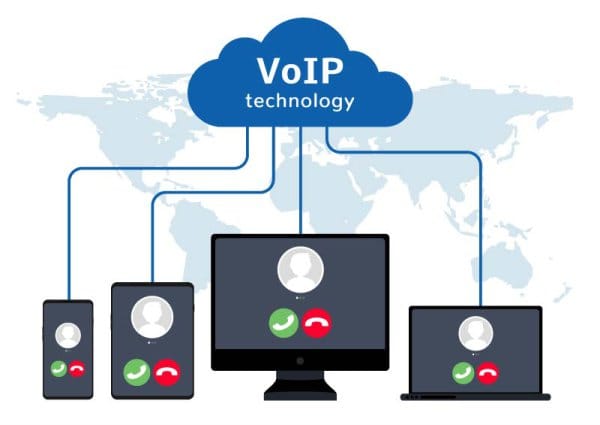
The advent of VOIP proved that the only way to use a telephone connection is not to use telecommunications lines! With the increase in bandwidth and, subsequently, the increase in Internet speed, today many businesses and even homes prefer to use VoIP as their telephone service provider.
Using VoIP is very attractive to users because it offers more features and conveniences than analog phone lines at a lower cost. That is why most people consider VoIP as an alternative to telecommunications phone lines.
With the help of VoIP and having an internet service, you can easily make phone calls on all computer systems. Isn’t that interesting! Of course, you are already using VOIP! When you use various apps on your computer or phone to make voice calls, without connecting to an analog phone line, you are using VoIP.
With the help of VOIP, we can create networks that transmit voice and even video in addition to computer data. Of course, in these networks, the voice is first converted into digital data (0 and 1) through the necessary converters and then transmitted. At the destination, the received data (which is in digital form) is converted back into voice signals.
The main use of VoIP is for call centers within a group (companies, offices, and organizations). Until now, to set up a comprehensive communication system in a work group, it was necessary to purchase a switchboard and establish a separate hardware network (consisting of a switchboard device, telephone cable, and switchboard phone).
But VOIP made everything easier! Today, business owners can easily set up networked call centers in their company, office, or organization. This allows you to benefit from all the call center services with just a local network.
VoIP is a very broad topic and we have only covered the basic definitions here. If you would like to learn more about this technology, we recommend reading our articles on VoIP.
What is SIP?
To better understand the concept of SIP, we needed to know a little more about VOIP; because SIP is one of the subsets and protocols of VoIP (its most famous protocol). For this reason, it is better to first have enough information about the principles of voice transmission over the Internet and then move on to this important protocol.
SIP stands for “session initiation protocol.” Why session initiation? Because it’s using SIP that you can initiate, manage, and ultimately end a telephone connection over the Internet.
If you are interested in the concept of SIP, the following questions are probably on your mind:
How are voice and video calls transmitted over the Internet?
How are text messages transmitted over the Internet?
The P in SIP stands for protocol. So let’s briefly define this important term:
A protocol is a set of rules that define the communication between two or more smart devices (computers, laptops, mobile phones, routers, network switches, etc.).
The audio and video communication of these devices with each other must be checked and regulated by a series of rules. (This is where VOIP comes in and messes up all the equations!) You should know that VoIP is not a protocol; rather, it is like an umbrella that encompasses all audio and video transmission protocols (including SIP).
To remind you
Communication between network devices on the Internet does not rely on a single protocol. In fact, many protocols work together in layers to allow two or more devices to identify and link to each other on the Internet. The collection of these protocols is called a “protocol stack.”
Gary Audin, a well-known author on IP and networking, defines the SIP protocol as follows:
SIP is completely independent of the media and file type; using SIP you can transfer data, voice, and even video. Let’s say SIP is everything!
SIP is an application layer protocol that provides the foundation for modern Internet communications (voice and video transmission) for devices on a network. The use of SIP for voice over IP is increasing rapidly.
Business owners prefer to use this protocol to manage their business telephone communications. In addition to reducing costs, this also provides them with more features and capabilities.
Using SIP, you can initiate, manage, and terminate an IP-based communication. This session can be a simple voice call between two people or even a team video call. This protocol manages voice and video communications by sending messages (text, audio, video, etc.) as data packets between two or more IPs (also called SIP servers).

What is SDP?
SDP stands for “Session Description Protocol” and is a set of rules that allow destinations in an Internet connection (receivers of data, voice, video, etc.) to have an active presence. This protocol usually does not operate independently and is embedded within other protocols (including SIP). SDP sends information such as a description of the connection, its duration, and the media that can be transmitted to the destination devices.
In SIP protocol, each IP must be connected to a physical client (such as a telephone) or a software client (a special software).
In fact, SIP notifies you of the presence of the other party, establishes the connection and allows you to do whatever you want. However, there is no picture of how it does this!
How does SIP work?
First of all, we should know that SIP alone cannot perform voice transmission operations over the Internet and in this way, it also takes help from some other protocols, including “SDP”.
Before voice data can be transmitted between the source and destination devices via SIP, it must be encoded using codecs that convert voice signals into binary data (0s and 1s). Two popular codecs used in the SIP protocol are:
G.711 codec: Used for uncompressed digital audio. This codec offers better audio quality, but usually uses more bandwidth.
G.729 codec: This codec compresses audio so that less bandwidth is used during the audio transmission process.
After the audio signals are converted to binary data using one of the above codecs, they are transported via the RTP (real-time transport protocol) protocol. This protocol, which is independent of SIP and operates in parallel with it, is used to simultaneously broadcast audio and video data.
Finally, after the voice packets are fully ready to be sent to their destination, one of the following two protocols takes over:
Transmission control protocol (TCP)
User datagram protocol (UDP)
Examining the performance of these two protocols is time-consuming and specialized, and takes us away from our main topic. So it’s better to return to the main topic, which is SIP.
You may be wondering why SIP is so important in voice and telephone communications? The answer is quite clear: SIP has been standardized as the preferred protocol for VoIP communications. The reason for this is that none of the encryption and decryption operations are performed by the protocol itself.
What is a SIP Server?
To use SIP, you need a SIP server, sometimes known as a “SIP Proxy.” This server manages all the tools needed to communicate on a local network.

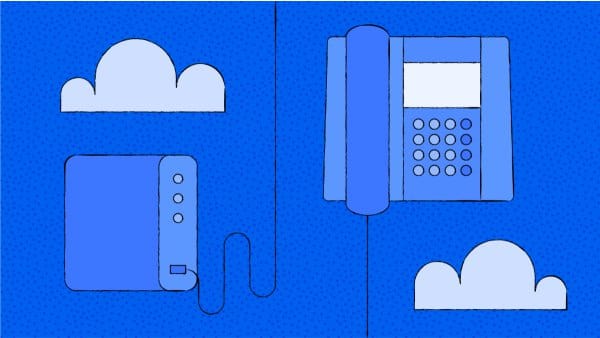
Traditional PBXs use analog lines to set up a telephone exchange in a business environment, while VoIP PBXs allow calls to be made over the Internet using the SIP protocol.
SIP servers are usually included in SIP-enabled PBXs, or “IP-PBXs.” To better understand these devices, you can think of them as an intermediary for making phone calls in a networked telephone exchange. Here we should also know the difference between PBX and IP-PBX:
As mentioned earlier, the most important use of VOIP and the SIP protocol is to set up a VoIP call center. In order to use an Internet voice connection in your business, you need to set up a SIP server. VoIP service providers will do this when you set up your call center.
However, to help you become more familiar with these servers, we will introduce the best examples of SIP Servers below:
Asterisk
Yate
Elastix
Kamailio
OpenSIPs
Flexisip
To set up your networked telephone center, you select any of the SIP Servers and install and run it on the server (a computer that is programmed for SIP). In general, there are three ways to set up a software or IP PBX:
Buying a PBX
Setting up a Hosted PBX (renting cloud space to set up a server)
Using a computer system and installing a SIP Server
As you can see, you will only need to use SIP servers if you are using a computer as the main VoIP server.

